Filter unique values sorted from A to Z
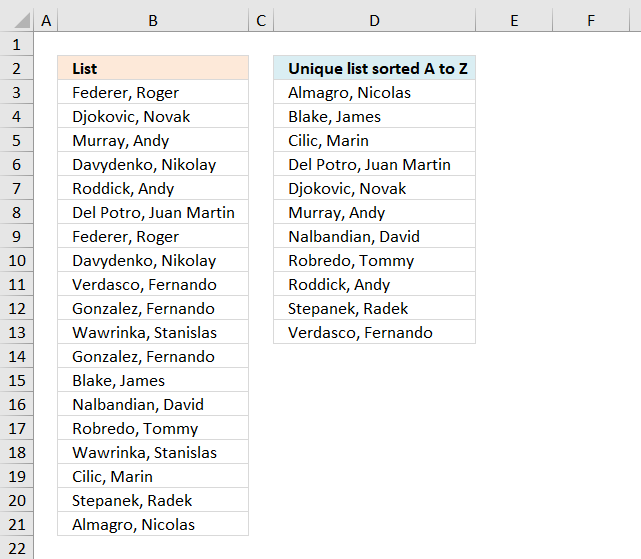
A unique value is a value that only exists once in a list.
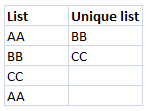
A unique distinct list contains all cell values but duplicates are merged into one distinct cell value.
If your are looking for a unique distinct list array formula, see this blog article:
Create a unique distinct alphabetically sorted list
The following array formula extracts unique values from column B in cell D3 and below:
To enter an array formula, type the formula in a cell then press and hold CTRL + SHIFT simultaneously, now press Enter once. Release all keys.
The formula bar now shows the formula with a beginning and ending curly bracket telling you that you entered the formula successfully. Don't enter the curly brackets yourself.
Update 10th December 2020, Excel 365 formula:
This is a regular formula, you can read about it here: Extract unique values sorted from A to Z
Explaining formula in cell D3
Step 1 - Identify unique values
The COUNTIF function counts cells in cell range based on a condition or criteria. If the value is equal to 1 then it must be a unique value.
COUNTIF($B$3:$B$21, $B$3:$B$21)=1
becomes
COUNTIF({"Federer, Roger "; "Djokovic, Novak "; "Murray, Andy "; "Davydenko, Nikolay "; "Roddick, Andy "; "Del Potro, Juan Martin "; "Federer, Roger "; "Davydenko, Nikolay "; "Verdasco, Fernando "; "Gonzalez, Fernando "; "Wawrinka, Stanislas "; "Gonzalez, Fernando "; "Blake, James "; "Nalbandian, David "; "Robredo, Tommy "; "Wawrinka, Stanislas "; "Cilic, Marin "; "Stepanek, Radek "; "Almagro, Nicolas "},{"Federer, Roger "; "Djokovic, Novak "; "Murray, Andy "; "Davydenko, Nikolay "; "Roddick, Andy "; "Del Potro, Juan Martin "; "Federer, Roger "; "Davydenko, Nikolay "; "Verdasco, Fernando "; "Gonzalez, Fernando "; "Wawrinka, Stanislas "; "Gonzalez, Fernando "; "Blake, James "; "Nalbandian, David "; "Robredo, Tommy "; "Wawrinka, Stanislas "; "Cilic, Marin "; "Stepanek, Radek "; "Almagro, Nicolas "})=1
becomes
{2;1;1;2;1;1;2;2;1;2;2;2;1;1;1;2;1;1;1}=1
and returns
{FALSE; TRUE; TRUE; FALSE; TRUE; TRUE; FALSE; FALSE; TRUE; FALSE; FALSE; FALSE; TRUE; TRUE; TRUE; FALSE; TRUE; TRUE; TRUE}
Step 2 - Build an array containing rank if list were sorted
The less than sign concatenated with the cell reference in the second argument in the COUNTIF function makes it return the rank number if list were sorted from A to Z.
COUNTIF($B$3:$B$21,"<"&$B$3:$B$21)
becomes
COUNTIF({"Federer, Roger "; "Djokovic, Novak "; "Murray, Andy "; "Davydenko, Nikolay "; "Roddick, Andy "; "Del Potro, Juan Martin "; "Federer, Roger "; "Davydenko, Nikolay "; "Verdasco, Fernando "; "Gonzalez, Fernando "; "Wawrinka, Stanislas "; "Gonzalez, Fernando "; "Blake, James "; "Nalbandian, David "; "Robredo, Tommy "; "Wawrinka, Stanislas "; "Cilic, Marin "; "Stepanek, Radek "; "Almagro, Nicolas "},"<"&{"Federer, Roger "; "Djokovic, Novak "; "Murray, Andy "; "Davydenko, Nikolay "; "Roddick, Andy "; "Del Potro, Juan Martin "; "Federer, Roger "; "Davydenko, Nikolay "; "Verdasco, Fernando "; "Gonzalez, Fernando "; "Wawrinka, Stanislas "; "Gonzalez, Fernando "; "Blake, James "; "Nalbandian, David "; "Robredo, Tommy "; "Wawrinka, Stanislas "; "Cilic, Marin "; "Stepanek, Radek "; "Almagro, Nicolas "})
becomes
COUNTIF({"Federer, Roger "; "Djokovic, Novak "; "Murray, Andy "; "Davydenko, Nikolay "; "Roddick, Andy "; "Del Potro, Juan Martin "; "Federer, Roger "; "Davydenko, Nikolay "; "Verdasco, Fernando "; "Gonzalez, Fernando "; "Wawrinka, Stanislas "; "Gonzalez, Fernando "; "Blake, James "; "Nalbandian, David "; "Robredo, Tommy "; "Wawrinka, Stanislas "; "Cilic, Marin "; "Stepanek, Radek "; "Almagro, Nicolas "}, {"<Federer, Roger ";"<Djokovic, Novak ";"<Murray, Andy ";"<Davydenko, Nikolay ";"<Roddick, Andy ";"<Del Potro, Juan Martin ";"<Federer, Roger ";"<Davydenko, Nikolay ";"<Verdasco, Fernando ";"<Gonzalez, Fernando ";"<Wawrinka, Stanislas ";"<Gonzalez, Fernando ";"<Blake, James ";"<Nalbandian, David ";"<Robredo, Tommy ";"<Wawrinka, Stanislas ";"<Cilic, Marin ";"<Stepanek, Radek ";"<Almagro, Nicolas "})
and returns
{7; 6; 11; 3; 14; 5; 7; 3; 16; 9; 17; 9; 1; 12; 13; 17; 2; 15; 0}
Step 3 - Replace boolean value TRUE with rank number
The IF function returns one value (argument2) if TRUE and another (argument3) if FALSE.
IF(COUNTIF($B$3:$B$21,$B$3:$B$21)=1,COUNTIF($B$3:$B$21,"<"&$B$3:$B$21),"")
becomes
IF({FALSE; TRUE; TRUE; FALSE; TRUE; TRUE; FALSE; FALSE; TRUE; FALSE; FALSE; FALSE; TRUE; TRUE; TRUE; FALSE; TRUE; TRUE; TRUE},COUNTIF($B$3:$B$21,"<"&$B$3:$B$21),"")
becomes
IF({FALSE; TRUE; TRUE; FALSE; TRUE; TRUE; FALSE; FALSE; TRUE; FALSE; FALSE; FALSE; TRUE; TRUE; TRUE; FALSE; TRUE; TRUE; TRUE}, {7; 6; 11; 3; 14; 5; 7; 3; 16; 9; 17; 9; 1; 12; 13; 17; 2; 15; 0},"")
and returns
{""; 6; 11; ""; 14; 5; ""; ""; 16; ""; ""; ""; 1; 12; 13; ""; 2; 15; 0}.
Step 4 - Extract the smallest value
The SMALL function lets you calculate the k-th smallest value in a cell range or array. SMALL( array, k)
SMALL(IF(COUNTIF($B$3:$B$21, $B$3:$B$21)=1, COUNTIF($B$3:$B$21, "<"&$B$3:$B$21), ""), ROWS(D2:$D$2))
becomes
SMALL({""; 6; 11; ""; 14; 5; ""; ""; 16; ""; ""; ""; 1; 12; 13; ""; 2; 15; 0}, ROWS(D2:$D$2))
The ROWS function in the second argument has an expanding cell reference that grows when cell D3 is copied to cells below. This makes the formula return a new value in each cell except if duplicates exist in the list.
SMALL({""; 6; 11; ""; 14; 5; ""; ""; 16; ""; ""; ""; 1; 12; 13; ""; 2; 15; 0}, ROWS(D2:$D$2))
becomes
SMALL({""; 6; 11; ""; 14; 5; ""; ""; 16; ""; ""; ""; 1; 12; 13; ""; 2; 15; 0}, 1)
and returns 0 (zero).
Step 5 - Get position in array
The MATCH function finds the relative position of a value in an array or cell range.
MATCH(SMALL(IF(COUNTIF($B$3:$B$21, $B$3:$B$21)=1, COUNTIF($B$3:$B$21, "<"&$B$3:$B$21), ""), ROWS(D2:$D$2)), COUNTIF($B$3:$B$21, "<"&$B$3:$B$21), 0)
becomes
MATCH(0, COUNTIF($B$3:$B$21, "<"&$B$3:$B$21), 0)
becomes
MATCH(0, {7; 6; 11; 3; 14; 5; 7; 3; 16; 9; 17; 9; 1; 12; 13; 17; 2; 15; 0}, 0)
and returns 19.
Step 6 - Return value
The INDEX function returns a value based on row number (and column number if needed)
INDEX($B$3:$B$21, MATCH(SMALL(IF(COUNTIF($B$3:$B$21, $B$3:$B$21)=1, COUNTIF($B$3:$B$21, "<"&$B$3:$B$21), ""), ROWS(D2:$D$2)), COUNTIF($B$3:$B$21, "<"&$B$3:$B$21), 0))
becomes
INDEX($B$3:$B$21, 19)
and returns "Almagro, Nicolas " in cell D3.
Get Excel *.xlsx file
Extract-a-unique-list sorted A to Z from a column-in-excel.xlsx
Sort values category
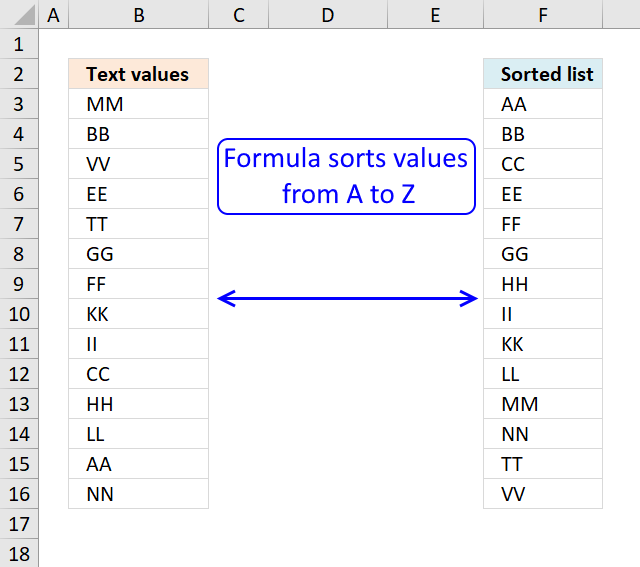
Table of Contents Sort a column - Excel 365 Sort a column using array formula Two columns sorting by the […]
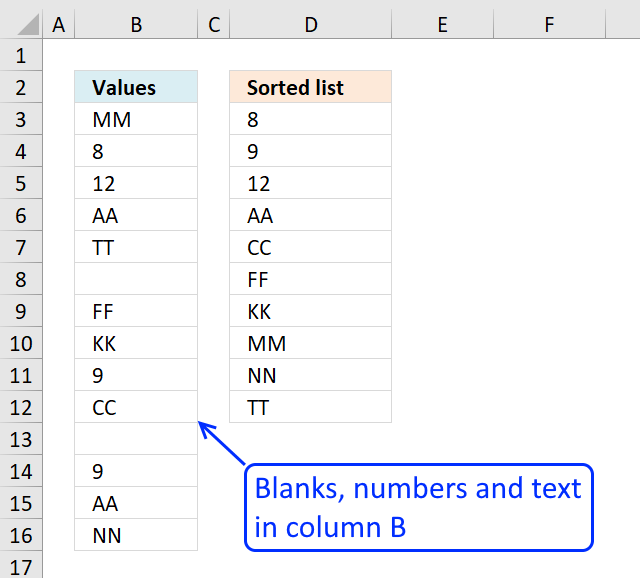
This article demonstrates ways to extract unique distinct sorted from A to Z ignoring blanks, and based on a condition. […]
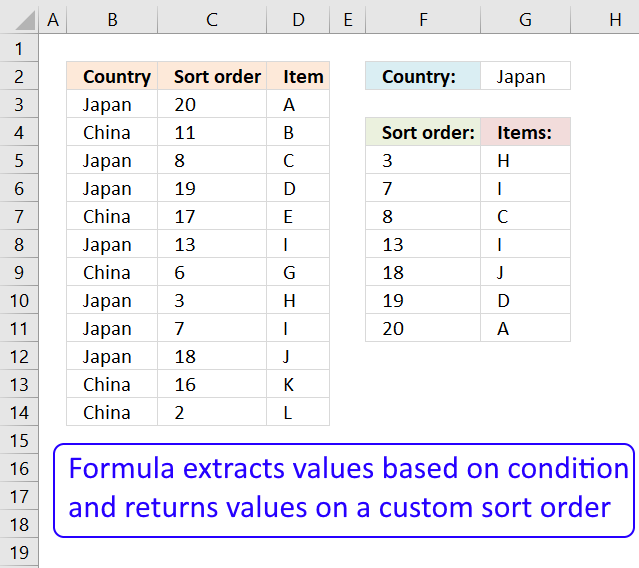
This article demonstrates a formula that extracts values based on a condition and sorts the returned values based on values […]
Unique values category
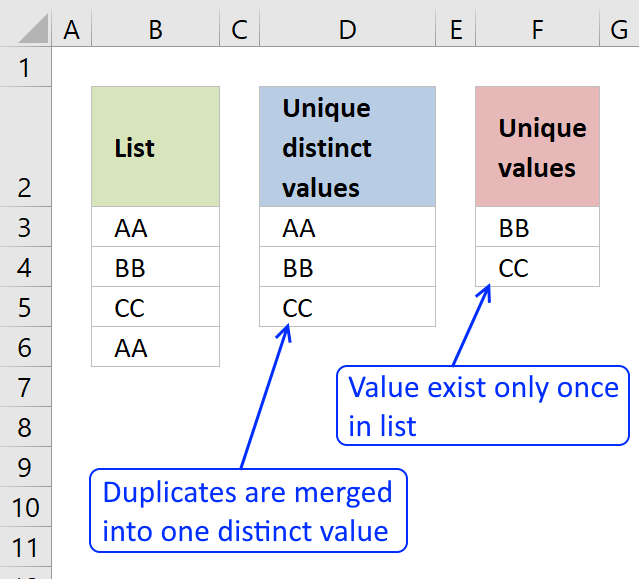
First, let me explain the difference between unique values and unique distinct values, it is important you know the difference […]
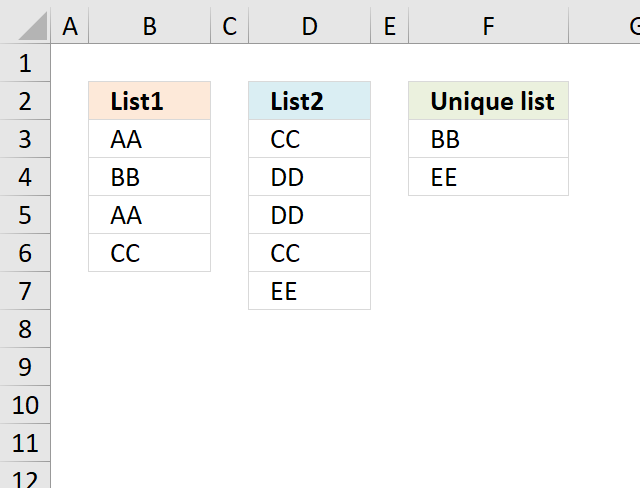
What's on this page Extract unique values from two columns - Excel 365 Extract unique values from two columns - […]
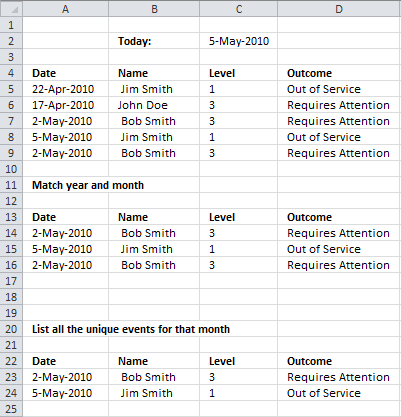
This article demonstrates a formula that extracts unique distinct records/rows for a given month specified in cell C2, see the […]
Excel categories
Leave a Reply
How to comment
How to add a formula to your comment
<code>Insert your formula here.</code>
Convert less than and larger than signs
Use html character entities instead of less than and larger than signs.
< becomes < and > becomes >
How to add VBA code to your comment
[vb 1="vbnet" language=","]
Put your VBA code here.
[/vb]
How to add a picture to your comment:
Upload picture to postimage.org or imgur
Paste image link to your comment.
