Extract unique distinct values in a filtered list
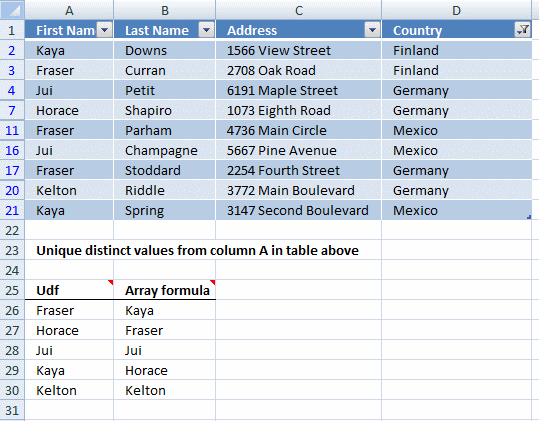
This article demonstrates two formulas that extract distinct values from a filtered Excel Table, one formula for Excel 365 subscribers and the other formula for earlier Excel versions.
Table of Contents
- List unique distinct values in a filtered Excel defined Table - Excel 365
- List unique distinct values - Autofilter
- List unique distinct values in a filtered Excel defined Table - earlier Excel versions
- List unique distinct values in a filtered Excel defined Table - User Defined Function
- Get Excel *.xlsx file
- Filter duplicate records - Autofilter
1. Extract unique distinct values in a filtered Excel defined Table - Excel 365
Excel 365 dynamic array formula in cell B26:
Dynamic array formulas and spilled array behavior
Explaining the formula in cell B26
Step 1 - Count rows
Table2[First Name] is a structured reference meaning a cell reference to an Excel Table. This particular name references a column with column header name "First Name" in Excel Table Table2.
The ROWS function calculate the number of rows in a cell range.
Function syntax: ROWS(array)
ROWS(Table2[First Name])
returns 20.
Step 2 - Create a sequence from 1 to n
The SEQUENCE function creates a list of sequential numbers.
Function syntax: SEQUENCE(rows, [columns], [start], [step])
SEQUENCE(ROWS(Table2[First Name]))
returns {1; 2; ... ; 20}.
Step 3 - Create a sequence from 0 (zero) to n-1
The minus sign lets you subtract numbers in an Excel formula, this works fine with arrays as well.
SEQUENCE(ROWS(Table2[First Name]))-1
returns {0; 1; ... ; 19}.
Step 4 - Create an array that works with the SUBTOTAL function
The OFFSET function returns a reference to a range that is a given number of rows and columns from a given reference.
Function syntax: OFFSET(reference,rows,columns,[height],[width])
OFFSET(Table2[First Name], SEQUENCE(ROWS(Table2[First Name]))-1, 0, 1)
returns
{"Kaya"; "Fraser"; ...; "Kaya"}.
Step 5 - Check which values are displayed
The SUBTOTAL function returns a subtotal from a list or database, you can choose from a variety of arguments that determine what you want the function to do.
Function syntax: SUBTOTAL(function_num, ref1, ...)
SUBTOTAL(3, OFFSET(Table2[First Name], SEQUENCE(ROWS(Table2[First Name]))-1, 0, 1))
returns {1; 1; ... ; 1}.
Step 6 - Filter values based on count
The FILTER function extracts values/rows based on a condition or criteria.
Function syntax: FILTER(array, include, [if_empty])
FILTER(Table2[First Name], SUBTOTAL(3, OFFSET(Table2[First Name], SEQUENCE(ROWS(Table2[First Name]))-1, 0, 1)))
returns {"Kaya"; "Fraser"; ... ; "Kaya"}.
Step 7 - Extract unique distinct values
The UNIQUE function returns a unique or unique distinct list.
Function syntax: UNIQUE(array,[by_col],[exactly_once])
UNIQUE(FILTER(Table2[First Name], SUBTOTAL(3, OFFSET(Table2[First Name], SEQUENCE(ROWS(Table2[First Name]))-1, 0, 1)))
returns {"Kaya"; "Fraser"; "Jui"; "Horace"; "Kelton"}.
Step 8 - Shorten the formula
The LET function lets you name intermediate calculation results which can shorten formulas considerably and improve performance.
Function syntax: LET(name1, name_value1, calculation_or_name2, [name_value2, calculation_or_name3...])
UNIQUE(FILTER(Table2[First Name], SUBTOTAL(3, OFFSET(Table2[First Name], SEQUENCE(ROWS(Table2[First Name]))-1, 0, 1)))
x - Table2[First Name]
LET(x, Table2[First Name], UNIQUE(FILTER(x, SUBTOTAL(3, OFFSET(x, SEQUENCE(ROWS(x))-1, 0, 1))))
2. Extract unique distinct values using a formula - Autofilter
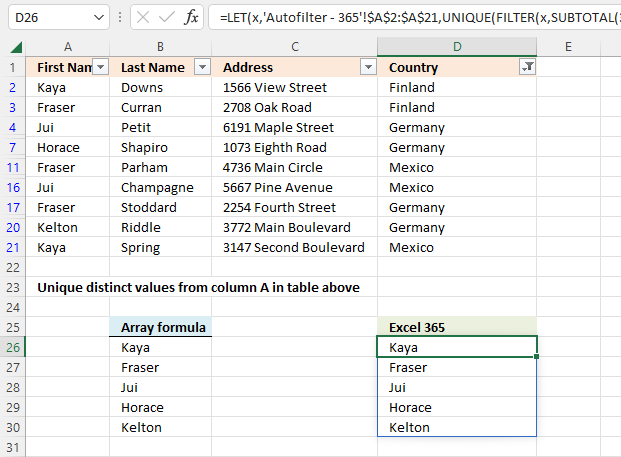
The formulas work for Excel's Autofilter feature as well. The formula for earlier Excel versions is the same as in section three below but the structured references are now cell references. Read section three for a formula explanation.
Array formula in cell B26:
The formula for Excel 365 is the same as in section one above but the structured reference is now a cell reference. Read section one for a formula explanation.
Excel 365 dynamic array formula in cell D26:
Recommended reading
3. Extract unique distinct values from a filtered Excel defined Table - earlier Excel versions
Oscar,
I am using the VBA code & FilterUniqueSort array to generate unique lists that drive Selection Change AutoFilter on multiple colums. Is there a way to make the list only return the unique values that are visible in the filtered source data?
I see a similar answer above using just an array formula, but my source is too long for that to be practical. Any help would be greatly appreciated.
Robert Jr
Array formula
I modified a formula by Laurent Longre found here: Excel Experts E-letter from John Walkenbach's web site.
Array Formula in cell B26:
To enter an array formula, type the formula in a cell then press and hold CTRL + SHIFT simultaneously, now press Enter once. Release all keys.
The formula bar now shows the formula with a beginning and ending curly bracket telling you that you entered the formula successfully. Don't enter the curly brackets yourself.
3.1 Explaining array formula in cell B26
Step 1 - Create an array
This step is necessary in order to be able to use the SUBTOTAL function in the next step. The ROW function returns row numbers based on a cell reference.
The MATCH function converts the row number array to an array that starts with 1.
OFFSET(Table2[First Name], MATCH(ROW(Table2[First Name]), ROW(Table2[First Name]))-1, 0, 1)
becomes
OFFSET({"Kaya"; "Fraser"; ... ; "Kaya"}, {0; 1; ... ; 19}, 0, 1)
The OFFSET function creates an array of arrays that the SUBTOTAL function can process.
returns { {"Kaya"}; {"Fraser"}; ... ; {"Kaya"} }
Step 2 - Which values are hidden?
The SUBTOTAL function will in this step count each array in the array as one and return 1 if the value is nonempty and is not visible. The first argument is 3 representing COUNTA function. It counts the number of cells that are not empty.
SUBTOTAL(3, OFFSET(Table2[First Name], MATCH(ROW(Table2[First Name]), ROW(Table2[First Name]))-1, 0, 1))
returns {1; 1; ... ; 1}.
This array tells us that the three first values in Table2[First Name] are visible, however, the fourth value is hidden etc. 1 - visible, 0 (zero) - hidden.
Step 3 - Convert 1 to 0 (zero)
The IF function has three arguments, the first one must be a logical expression. If the expression evaluates to TRUE then one thing happens (argument 2) and if FALSE another thing happens (argument 3).
IF(SUBTOTAL(3, OFFSET(Table2[First Name], MATCH(ROW(Table2[First Name]), ROW(Table2[First Name]))-1, 0, 1)), COUNTIF($B$25:B25, Table2[First Name]), "")
The COUNTIF function in this step will make sure that only unique distinct values are being returned, it contains an expanding cell reference that keeps track of previously displayed values.
IF(SUBTOTAL(3, OFFSET(Table2[First Name], MATCH(ROW(Table2[First Name]), ROW(Table2[First Name]))-1, 0, 1)), COUNTIF($B$25:B25, Table2[First Name]), "")
returns {0; 0; ... ; ""; 0; 0}
Step 4 - Find position
The MATCH function returns a number representing the position of the first 0 (zero) in the array.
MATCH(0, IF(SUBTOTAL(3, OFFSET(Table2[First Name], MATCH(ROW(Table2[First Name]), ROW(Table2[First Name]))-1, 0, 1)), COUNTIF($C$25:C25, Table2[First Name]),""), 0)
becomes
MATCH(0, {0; 0; ... ; ""; 0; 0}, 0) and returns 1.
Step 5 - Return value
The INDEX function returns a value based on cell reference and a row and column number.
INDEX(Table2[First Name], MATCH(0, IF(SUBTOTAL(3, OFFSET(Table2[First Name], MATCH(ROW(Table2[First Name]), ROW(Table2[First Name]))-1, 0, 1)), COUNTIF($C$25:C25, Table2[First Name]),""), 0))
becomes
INDEX(Table2[First Name], 1)
and returns "Kaya" in cell B26.
4. Extract unique distinct values from a filtered Excel defined Table - User defined Function
User defined function in cell range A26:A31:
This formula is also entered as an array formula.
4.1 User defined Function Syntax
FilterUniqueSortTable(rng)
4.2 Arguments
| Parameter | Text |
| rng | Required. A cell reference to the range in the Excel defined Table you want to extract unique distinct values from. |
4.3 VBA Code
'Name custom function and parameters
Function FilterUniqueSortTable(rng As Range)

'Declare variables and data types
Dim ucoll As New Collection, Value As Variant, temp() As Variant
Dim iRows As Single, i As Single

'Redimension array variable temp in order to be able to expand the variable later on
ReDim temp(0)

'Enable error handling
On Error Resume Next

'Iterate thorugh each value in cell range
For Each Value In rng

    'Check if cell is not empty and visible
    If Len(Value) > 0 And Value.EntireRow.Hidden = False Then

        'Add value to collection, this line will return an error if the value already exists in the collection
        ucoll.Add Value, CStr(Value)
    End If

'Continue with next value
Next Value

'Disable error handling
On Error GoTo 0

'Iterate through each value in collection
For Each Value In ucoll

    'Save value to array variable temp
    temp(UBound(temp)) = Value

    'Add another container to array variable temp
    ReDim Preserve temp(UBound(temp) + 1)

'Continue with next value
Next Value

'Remove last item from array variable temp
ReDim Preserve temp(UBound(temp) - 1)

'Count the number of rows the UDF is entered in by the user and save to variable iRows
iRows = Range(Application.Caller.Address).Rows.Count

'Use UDF SelectionSort to sort values from A to Z
SelectionSort temp

'Add items so the array variable temp has the same number of rows as the entered UDF and save blank values to items that contain nothing
For i = UBound(temp) To iRows
  ReDim Preserve temp(UBound(temp) + 1)
  temp(UBound(temp)) = ""
Next i

'Rearrange values in array variable temp and return them to worksheet
FilterUniqueSortTable = Application.Transpose(temp)
End Function
4.4 Where to copy code?
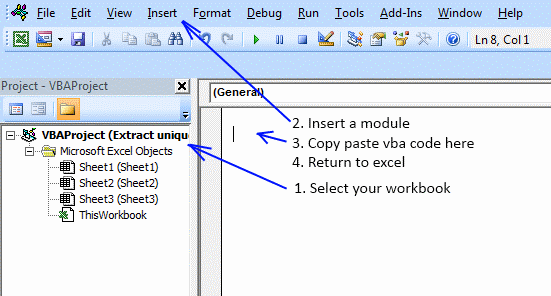
Press Alt+F11 to open VB Editor.
- Double press with left mouse button on your workbook in the Project Explorer.
- Press with left mouse button on "Insert" on the menu and then press with left mouse button on "Module".
- Paste above code to code module.
- Exit VB Editor and return to Excel.

6. Filter duplicate records - Autofilter
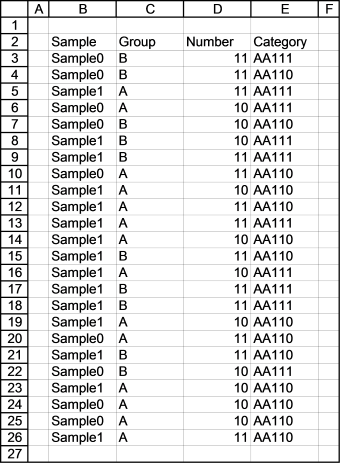
In this article I will demonstrate a technique to filter duplicate records. The picture below shows you a data set in columns B to E. Next step is to create an Excel defined table.
Press with left mouse button on a cell in the table, go to tab "Insert" on the ribbon. Press with left mouse button on "Insert Table" button. The following dialog box appears.
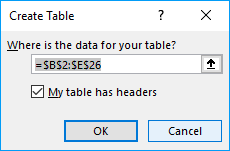
Press with left mouse button on OK button.
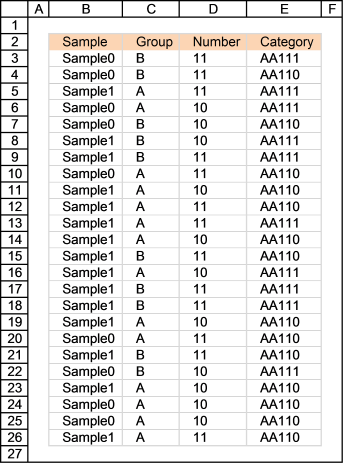
Type Duplicate in cell F2 and then use the following formula in cell F3:
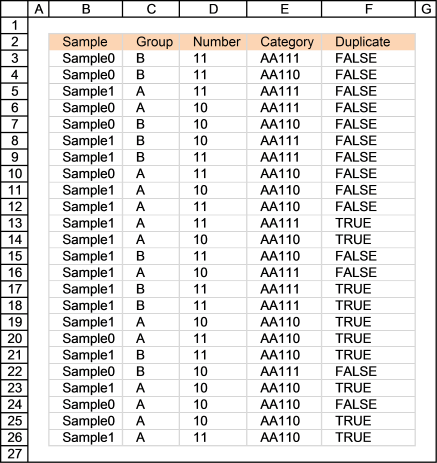
How the formula works in cell F13
Step 1 - Understand how relative and absolute cell references work
The formula uses absolute and relative cell references. In cell G3 the formula is:
=COUNTIFS($B$3:B3, B3, $C$3:C3, C3, $D$3:D3, D3, $E$3:E3, E3)>1
In cell G13 the formula has changed to:
=COUNTIFS($B$3:B13, B13, $C$3:C13, C13, $D$3:D13, D13, $E$3:E13, E13)>1
The cell ranges expand as the formula is copied to cells below. This lets you count the current record in above records.
Recommended articles
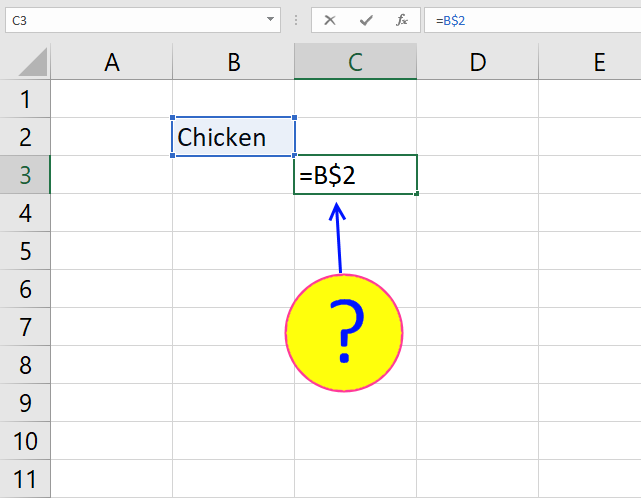
What is a reference in Excel? Excel has an A1 reference style meaning columns are named letters A to XFD […]
Step 2 - Find duplicates
COUNTIFS($B$3:B13, B13, $C$3:C13, C13, $D$3:D13, D13, $E$3:E13, E13)>1
becomes
=2>1
and returns TRUE in cell G13
Recommended articles
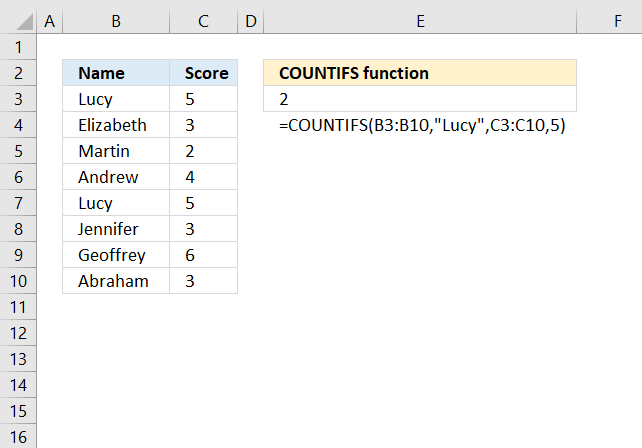
Checks multiple conditions against the same number of cell ranges and counts how many times all criteria are met.
Filter records based on formula
- Press with mouse on black arrow on cell F2
- Enable only value TRUE
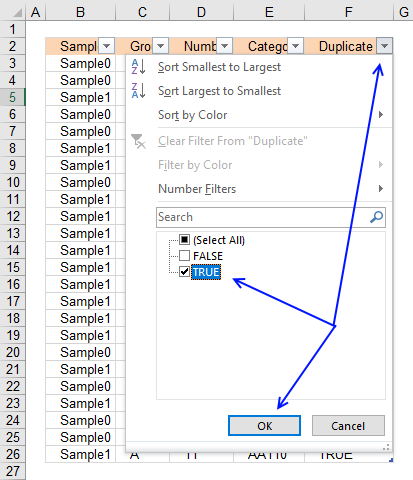
- Press with left mouse button on OK button
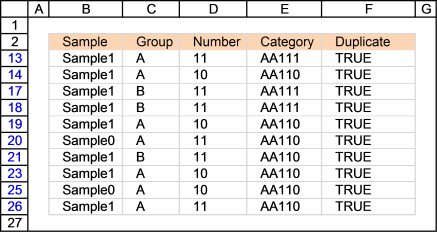
Table category
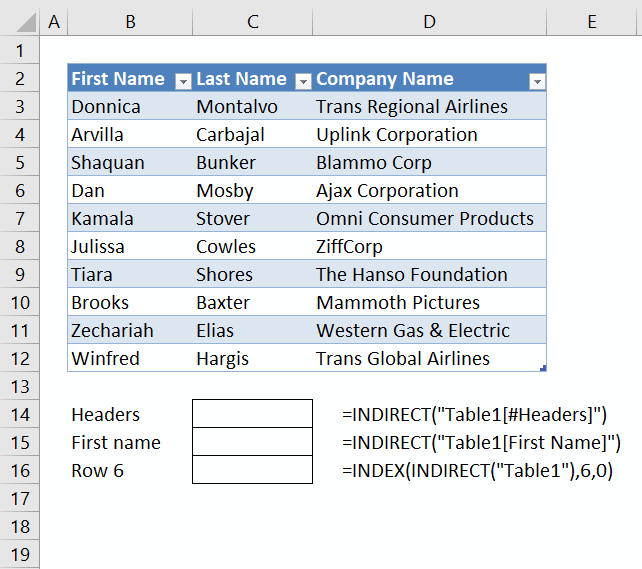
This article demonstrates different ways to reference an Excel defined Table in a drop-down list and Conditional Formatting. There are […]
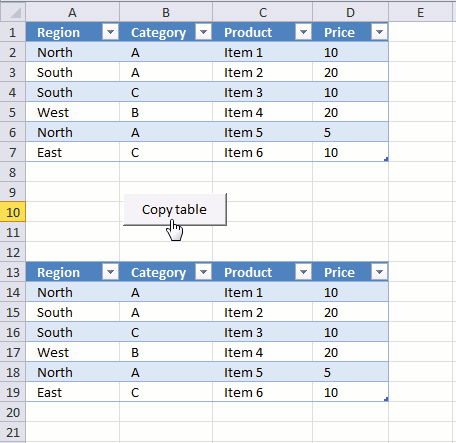
The image above demonstrates a macro linked to a button. Press with left mouse button on the button and the […]
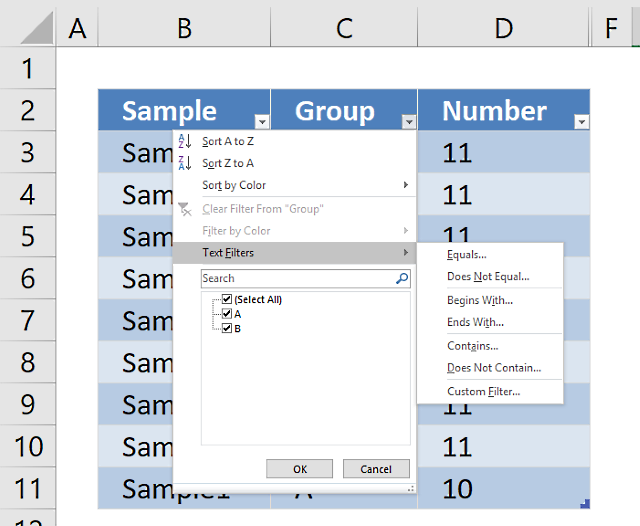
An Excel table allows you to easily sort, filter and sum values in a data set where values are related.
Unique distinct values category
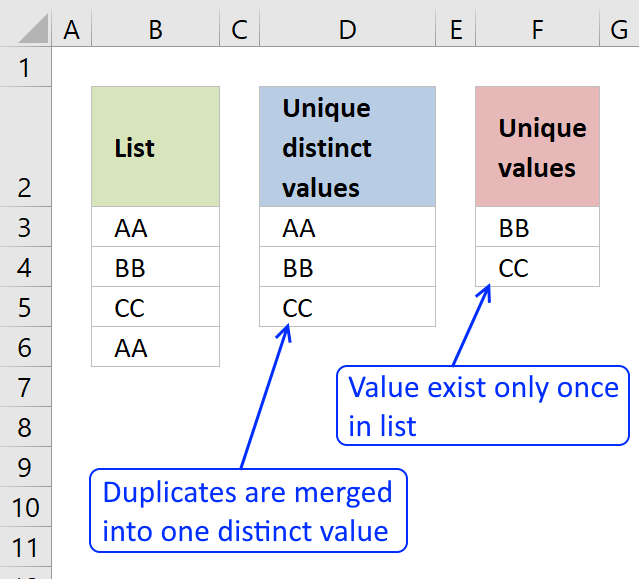
First, let me explain the difference between unique values and unique distinct values, it is important you know the difference […]
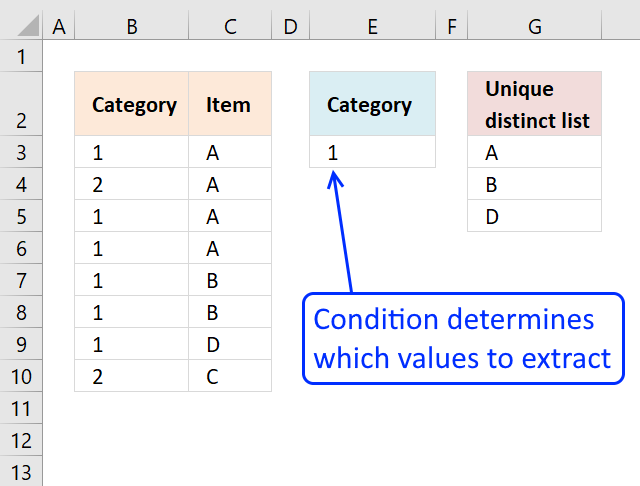
This article shows how to extract unique distinct values based on a condition applied to an adjacent column using formulas. […]
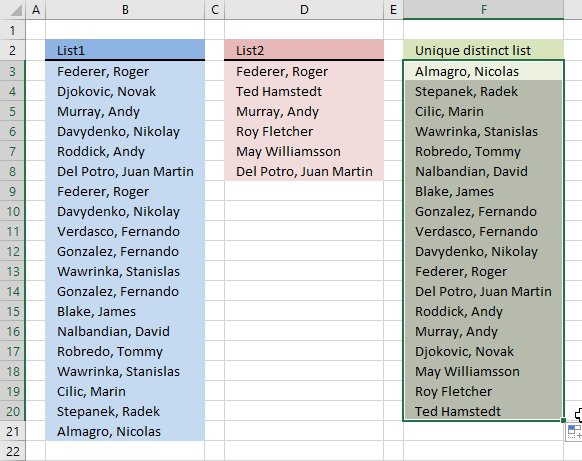
Question: I have two ranges or lists (List1 and List2) from where I would like to extract a unique distinct […]
User defined function category
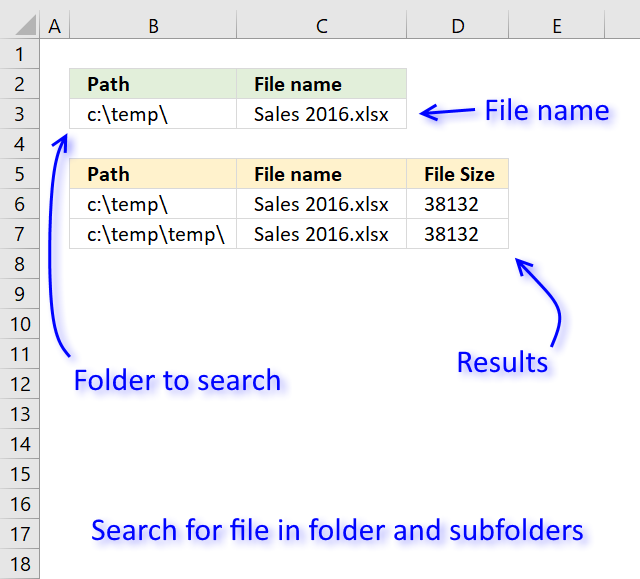
Table of Contents Search for a file in folder and sub folders - User Defined Function Search for a file […]
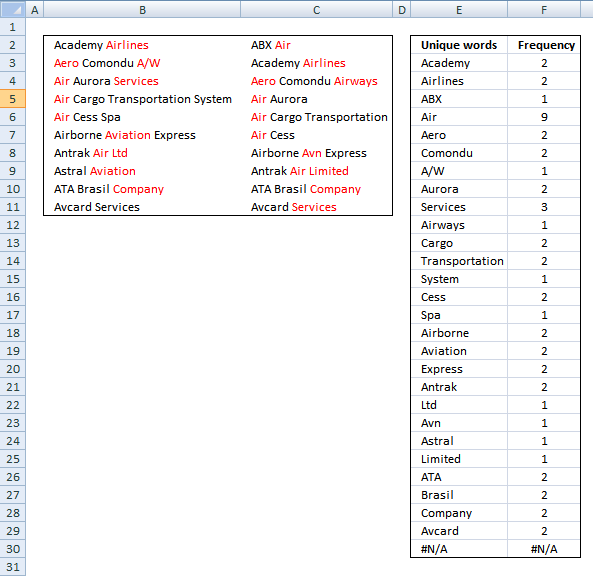
This article demonstrates two ways to calculate the number of times each word appears in a given range of cells. […]
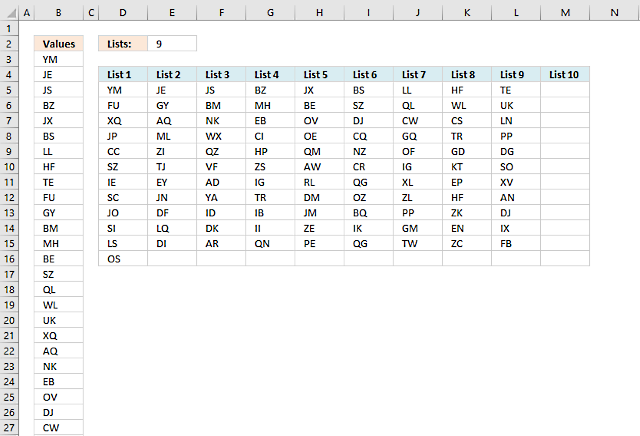
Table of Contents Split values equally into groups Rearrange values based on category - VBA 1. Split values equally […]
How to use Excel Tables
24 Responses to “Extract unique distinct values in a filtered list”
Leave a Reply
How to comment
How to add a formula to your comment
<code>Insert your formula here.</code>
Convert less than and larger than signs
Use html character entities instead of less than and larger than signs.
< becomes < and > becomes >
How to add VBA code to your comment
[vb 1="vbnet" language=","]
Put your VBA code here.
[/vb]
How to add a picture to your comment:
Upload picture to postimage.org or imgur
Paste image link to your comment.

How do I get the sheet names in a file to becomes the row description in a summary file.
Thxs
Shaz,
Here is an user defined function:
VBA code:
Where to put the code
Press Alt-F11 to open visual basic editor
Press with left mouse button on Module on the Insert menu
Copy and paste the code above
Exit visual basic editor
How to use user defined function
Example,
Select cell A1
Type =List_sheets() in formula bar and then press CTRL + SHIFT + ENTER
Copy cell A1 and paste it to the right
Oscar, what is this line supposed to be doing? I have tried hard to understand this application.caller function, but can't make any sense of it.
iRows = Range(Application.Caller.Address).Rows.Count
appreciate your insight on this.
thanks so much for your tutorials again! They are as always very insightful!
Chrisham,
Thank you!
If you enter the udf in cell range A26:A30, Range(Application.Caller.Address).Rows.Count returns 5.
Application.Caller.Address returns $A$26:$A$30
Its working...! really good solution
Thanks,
Sangam R
Hi Oscar,
I'm a bit of a newbie trying to learn this and using your formulas and VB above I get an error in the array formulas, it doesn't like the Table2[First Name]. Problem can be that I use Swedish Excel?
I understand that Table2 is the name of the table but [First Name] what does it do and do you know if I need to translate it?
Per,
Problem can be that I use Swedish Excel?
yes, try this formula:
I understand that Table2 is the name of the table but [First Name] what does it do and do you know if I need to translate it?
[First Name] is the first header in the table (col A). Change it to your header name.
[...] Extract unique distinct values from a filtered table (udf and array formula) [...]
Mr. Oscar,
Can i have the values in the blow direction of a cells in udf
"Fraser Horace Jui Kaya Kelton"
Regards
Sudhakar,
I am not sure I understand, try this:
Function FilterUniqueSortTable(rng As Range) Dim ucoll As New Collection, Value As Variant, temp() As Variant Dim iRows As Single, i As Single ReDim temp(0) On Error Resume Next For Each Value In rng If Len(Value) > 0 And Value.EntireRow.Hidden = False Then ucoll.Add Value, CStr(Value) End If Next Value On Error GoTo 0 For Each Value In ucoll temp(UBound(temp)) = Value ReDim Preserve temp(UBound(temp) + 1) Next Value ReDim Preserve temp(UBound(temp) - 1) iRows = Range(Application.Caller.Address).Columns.Count SelectionSort temp For i = UBound(temp) To iRows ReDim Preserve temp(UBound(temp) + 1) temp(UBound(temp)) = "" Next i FilterUniqueSortTable = temp End FunctionDear Oscar,
Thanks for your valuable time, cheers...
Sudhakar
Mr. Oscar,
Fraser Horace Jui Kaya Kelton #N/A #N/A #N/A
Can we eliminate #N/A error from the above udf.
Thanks.
Sudhkar
Sudhakar,
Can we eliminate #N/A error from the above udf.
Yes, I changed the code above.
Mr. Oscar,
Thanks for your help.
Sudhakar
Mr. Oscar,
I have one more question for the same,
Can we eliminate the blank cell or if the cell value is zero in case of alphanumeric sort.
Thanks in advance
Sudhakar
Good Day!
Kindly help me the following issues,
I am in need of a macro instead of “Function FilterUniqueSortTable(rng As Range)” because I have a data in the column say Column A1:A1000, I need to extract the unique value with sort Alpha numerically and put it across columns let us say from B1 to ZZ.
Right now I am using your brilliant function on this thread, its takes a long time when I update the values.
Thanks for your valuable time spend with us
Sudhakar
Somehow the VBA script formula throws a #NAME error for me.
I did the exact copy, just changed the name of the table I want sorted
Thanks for referring me to this post, Oscar. This is just what I needed! All I did was change the cell and range references, and I'm in business.
=INDEX(Teachers,MATCH(0,(IF(SUBTOTAL(3, OFFSET(Teachers, MATCH(ROW(Teachers), ROW (Teachers))-1, 0, 1)), MATCH(ROW(Teachers), ROW(Teachers)),""))*COUNTIF($Z$1:Z1,Teachers),0))
Is there a way to have the results display in alphabetical order when the source range (Teachers) isn't?
Rod,
Is it possible to sort the source range?
This formula can do what you ask for but not with filtered values:
https://www.get-digital-help.com/unique-distinct-list-from-a-column-sorted-a-to-z-using-array-formula-in-excel/
No, the source range has to be sorted by a different field. That's OK, I'm happy with what the formula does even without the results being sorted differently than the source. Thanks for your help!
Thanks a lot for sharing this. I tried to replicate the formula with the new FILTER() function and it worked.
=FILTER(Table2[First Name],
SUBTOTAL(3, OFFSET(Table2[First Name],
MATCH(ROW(Table2[First Name]), ROW(Table2[First Name]))-1, 0, 1))
)
Oken, thank you for commenting.
It is possible to make your formula even smaller:
To extract unique distinct values use this formula:
Hola
como puedo hacer una consulta , el formulario de contacto no funciona
Gracias
I don't often leave comments when I find a solution to a problem I have had. But your above example for Office365 absolutely solved the problem I was having. You may not need to hear this, but well done - I am very VERY grateful! Thank you!