Shift Schedule
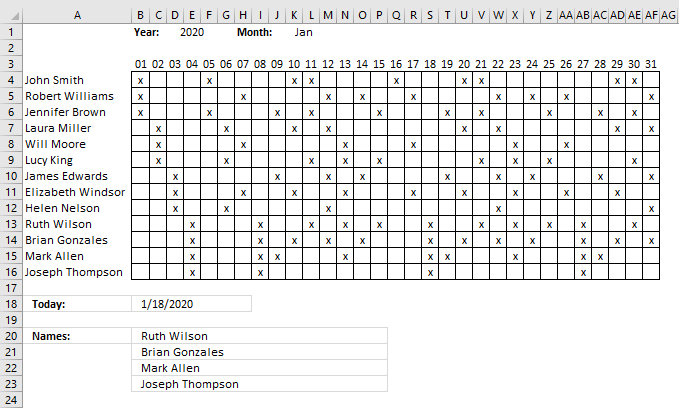
Hi Oscar, I have a cross reference table we use for shift scheduling. The x-axis is comprised of dates and the y is names. The table values indicate whether or not the employee is scheduled to work (i.e., filled or not).
Is there any way to pull a list of names in a canned daily report based on the date and whether the cell is filled? In other words, I want to look up the y-axis headers as opposed to the cross reference value.
Thanks, Geoff
The image above demonstrates a schedule with dates on row 3, they are calculated automatically based on the selected year in cell D1 and month in K1.
You have to enter the names in column A and if they are scheduled for work (filled x) in the corresponding cells. Cell B18 returns the current date today and cell B20 and below return the names of the people that work that particular day.
Formula in cell B18:
Array formula in cell B20:
How to create an array formula
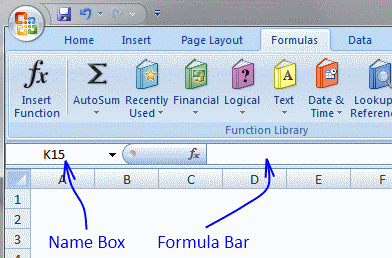
- Select cell B19
- Paste array formula in formula bar
- Press and hold CTRL + SHIFT
- Press Enter
How to copy array formula
- Select cell B20
- Copy (Ctrl + c)
- Select cell range B21:B26
- Paste (Ctrl + v)
Explaining array formula in cell B20
Step 1 - Find position of current date on row 3
This so we can extract the entire column in a later step. The MATCH function allows us to identify the position of a given value in an array or cell range.
The cell range must, however, have only one column or row. In other words, the cells must be horizontally or vertically arranged.
MATCH($B$18, $B$3:$AF$3, 0)
becomes
MATCH(40926, {40909, 40910, 40911, 40912, 40913, 40914, 40915, 40916, 40917, 40918, 40919, 40920, 40921, 40922, 40923, 40924, 40925, 40926, 40927, 40928, 40929, 40930, 40931, 40932, 40933, 40934, 40935, 40936, 40937, 40938, 40939}, 0)
and returns 18.
Excel date 40926 is found in the 18th position of cell range $B$1:$AF$1.
Step 2 - Extract values in a specific column
The INDEX function lets you extract a specific column based on a column number and a cell range to an array.
INDEX(cell_ref, row_num, [column_num], [area_num]
INDEX($B$4:$AF$14, 0, MATCH($B$18, $B$3:$AF$3, 0))
becomes
INDEX($B$4:$AF$14, 0, 18)
and returns the values in cell range S2:S14.
{0; 0; 0; 0; 0; 0; 0; 0; 0; "x"; "x"; "x"; "x"}
Step 3 - Identify which cells contain x
The equal sign compares each value in the array with x, if they match TRUe is returned and FALSE if not. TRUE and FALSE are boolean values.
INDEX($B$4:$AF$14, 0, MATCH($B$18, $B$3:$AF$3, 0))="x"
becomes
{0; 0; 0; 0; 0; 0; 0; 0; 0; "x"; "x"; "x"; "x"}="x"
and returns
{FALSE; FALSE; FALSE; FALSE; FALSE; FALSE; FALSE; FALSE; FALSE; TRUE; TRUE; TRUE; TRUE}
Step 4 - Replace TRUE with corresponding row number and FALSE with blanks
The IF function returns a value if the logical expression is TRUE and another value if FALSE. Since we are working with arrays the values returned are determined by the position of the value in the array.
IF(INDEX($B$4:$AF$14, 0, MATCH($B$18, $B$3:$AF$3, 0))="x", MATCH(ROW($A$4:$A$16), ROW($A$4:$A$16)), "")
becomes
IF({FALSE; FALSE; FALSE; FALSE; FALSE; FALSE; FALSE; FALSE; FALSE; TRUE; TRUE; TRUE; TRUE}, MATCH(ROW($A$4:$A$16), ROW($A$4:$A$16)), "")
becomes
IF({FALSE; FALSE; FALSE; FALSE; FALSE; FALSE; FALSE; FALSE; FALSE; TRUE; TRUE; TRUE; TRUE}, {1;2;3;4;5;6;7;8;9;10;11;12;13}, "")
and returns
{""; ""; ""; ""; ""; ""; ""; ""; ""; 10; 11; 12; 13}.
Step 5 - Extract the k-th smallest row number
The SMALL function allows you to extract a single value in each cell based on a row number.
SMALL(IF(INDEX($B$4:$AF$14, 0, MATCH($B$18, $B$3:$AF$3, 0))="x", MATCH(ROW($A$4:$A$16), ROW($A$4:$A$16)), ""), ROWS($A$1:A1))
becomes
SMALL({""; ""; ""; ""; ""; ""; ""; ""; ""; 10; 11; 12; 13}, ROWS($A$1:A1))
The ROWS function has a cell reference that changes when you copy the cell and paste to cells below, this is what makes the formula extract a new value in each cell.
SMALL({""; ""; ""; ""; ""; ""; ""; ""; ""; 10; 11; 12; 13},1)
and returns 10.
Step 6 - Get the name from column A based on a row number
The INDEX function lets you extract a value based on a cell range and a row and column number. Our cell range contains only one column so we can leave out the column number.
INDEX($A$4:$A$16, SMALL(IF(INDEX($B$4:$AF$14, 0, MATCH($B$18, $B$3:$AF$3, 0))="x", MATCH(ROW($A$4:$A$16), ROW($A$4:$A$16)), ""), ROWS($A$1:A1)))
Step 7 - Return blank if formula returns an error
The IFERROR function handles all errors so be careful if you use this function. If there is something else wrong you won't spot it because the IFERROR function returns a blank in that case as well.
IFERROR(INDEX($A$4:$A$16, SMALL(IF(INDEX($B$4:$AF$14, 0, MATCH($B$18, $B$3:$AF$3, 0))="x", MATCH(ROW($A$4:$A$16), ROW($A$4:$A$16)), ""), ROWS($A$1:A1))), "")
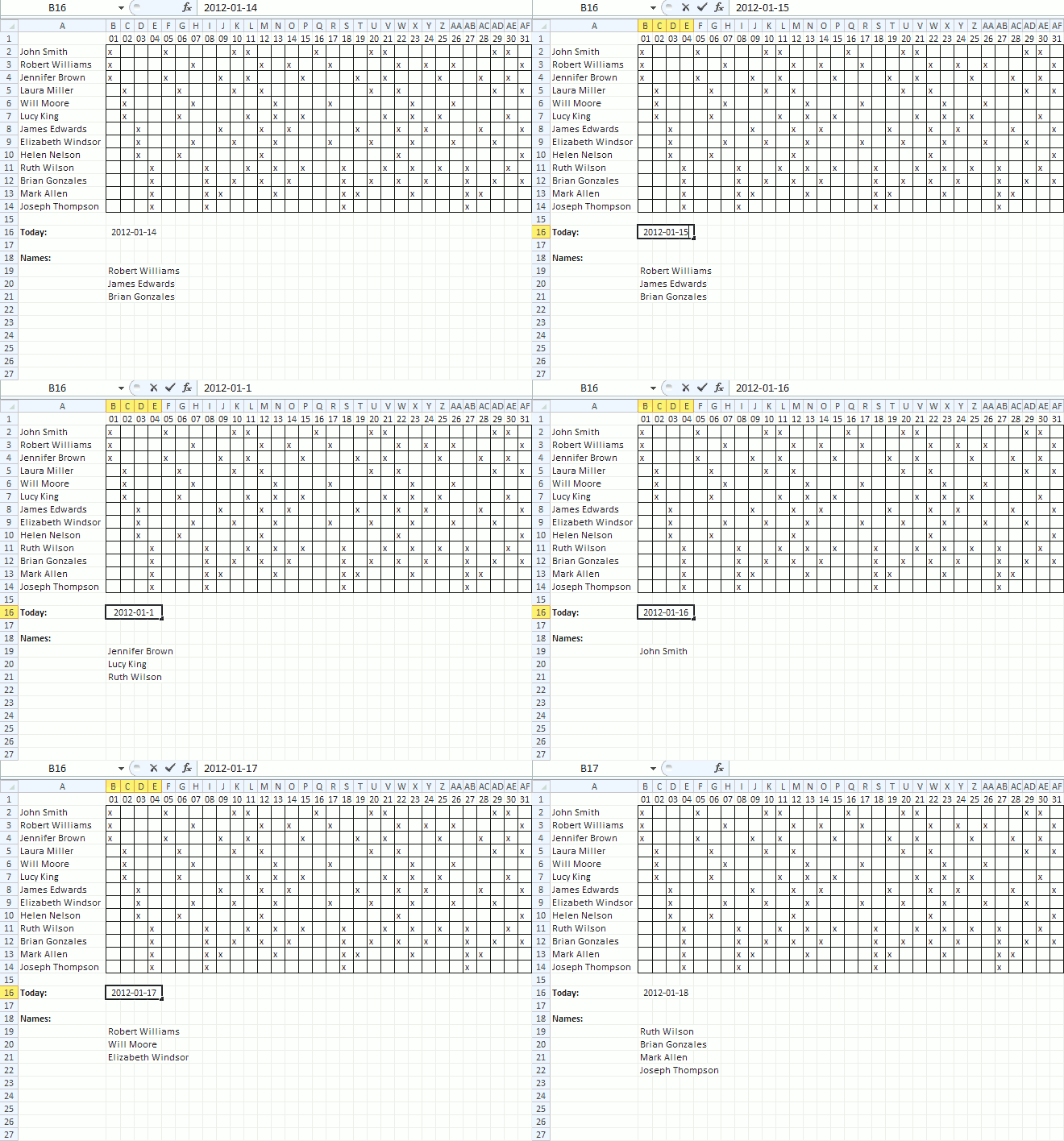

Shift schedule - Conditional formatting
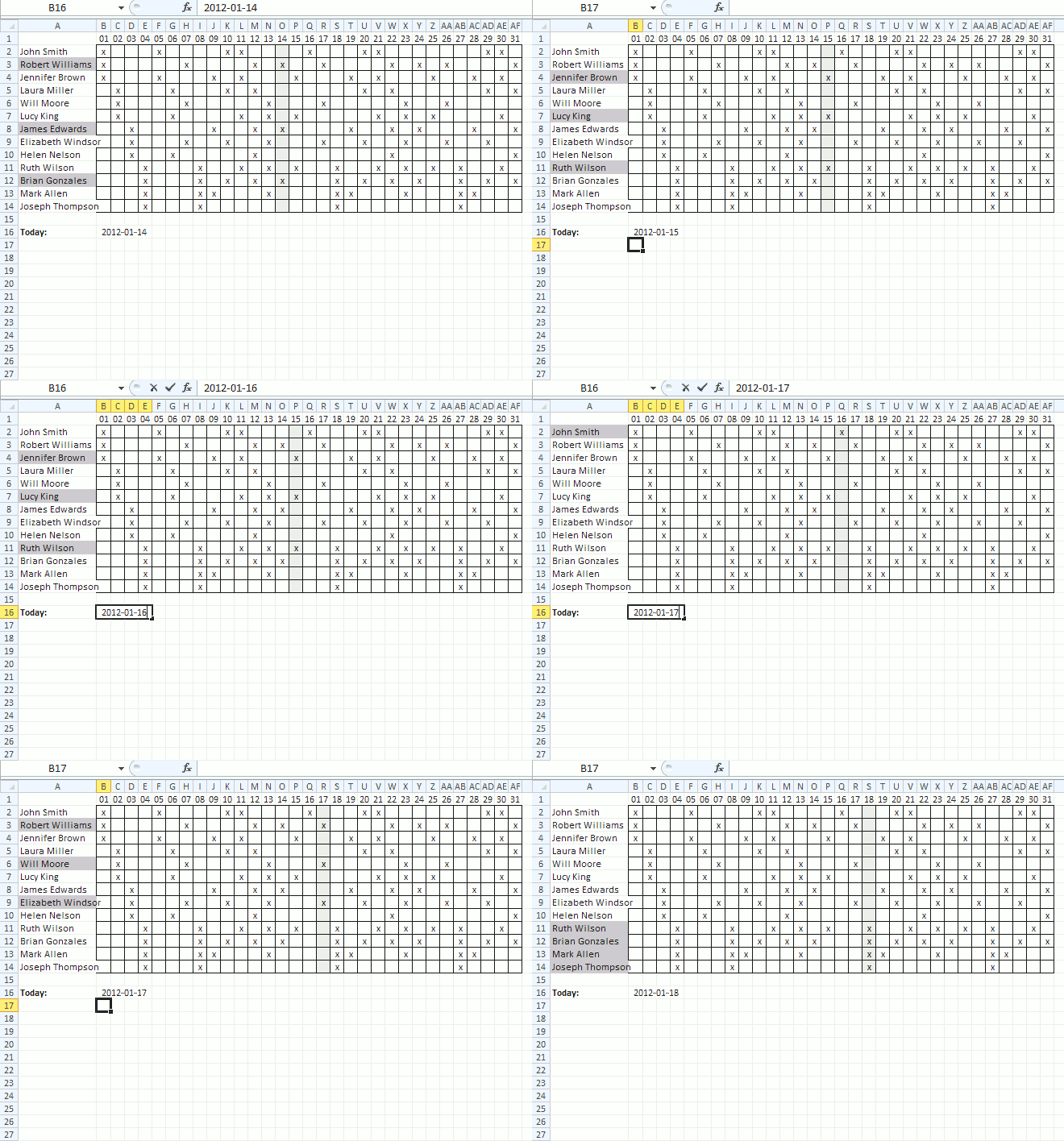
Conditional formatting - Cell range B2:AF14
- Select cell range B2:AF14
- Go to tab "Home"
- Press with left mouse button on "Conditional formatting" button
- Press with left mouse button on "New Rule.."
- Press with left mouse button on "Use a formula to determine which cells to format"
- Enter this formula:=B$1=$B$16
- Press with left mouse button on "Format.." button
- Go to tab "Fill"
- Pick a color
- Press with left mouse button on OK
- Press with left mouse button on OK
Conditional formatting - Cell range A2:A14
- Select cell range A2:A14
- Go to tab "Home"
- Press with left mouse button on "Conditional formatting" button
- Press with left mouse button on "New Rule.."
- Press with left mouse button on "Use a formula to determine which cells to format"
- Enter this formula:=INDEX($B$2:$AF$14, ROW(A2)-1, MATCH($B$16, $B$1:$AF$1, 0))="x"
- Press with left mouse button on "Format.." button
- Go to tab "Fill"
- Pick a color
- Press with left mouse button on OK
- Press with left mouse button on OK
Recommended articles
Quickly highlight records in a list using multiple criteria in excel
Quickly highlight records in a list in excel (AND logic)
Quickly highlight records containing text strings in excel (AND Logic)
Schedule category
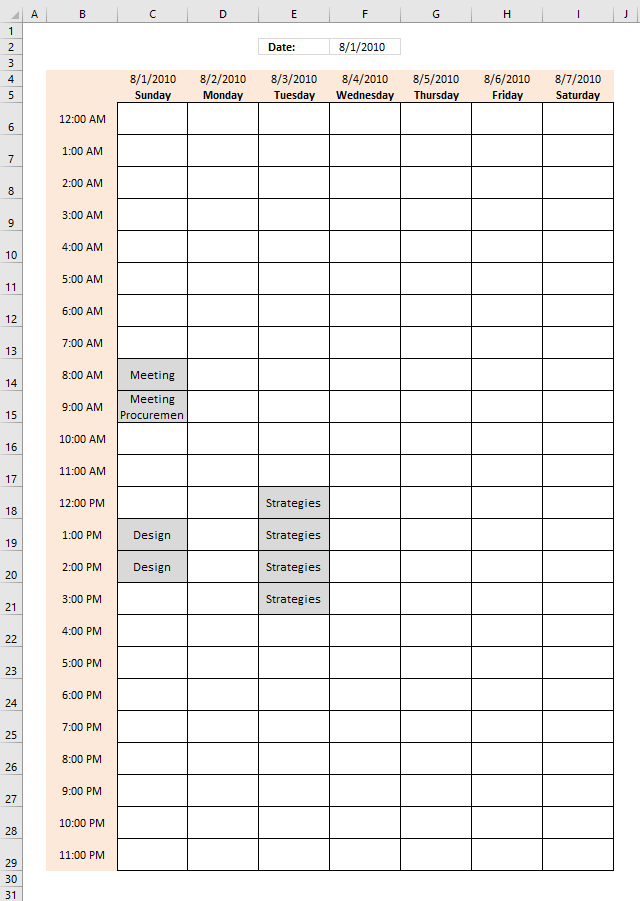
In this post I am going to add one more function to the weekly schedule I built in a previous […]
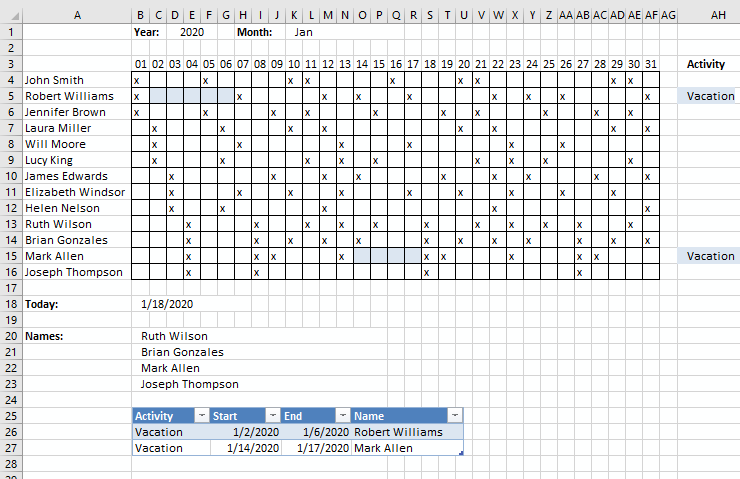
This schedule uses the year and month in cell D1 and K1 to highlight activities like vacation specified in the […]
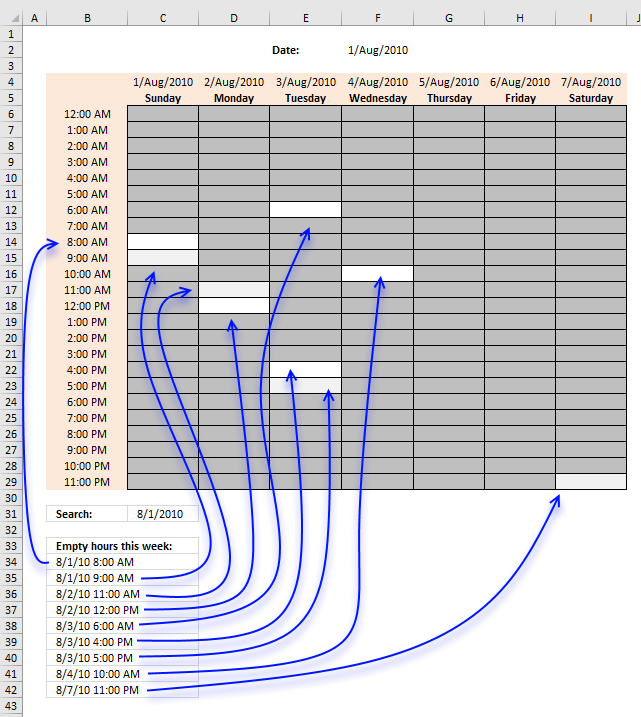
The image above demonstartes an array formula in cell B34 that extracts empty hours in a weekly calendar. I have created […]
Templates category
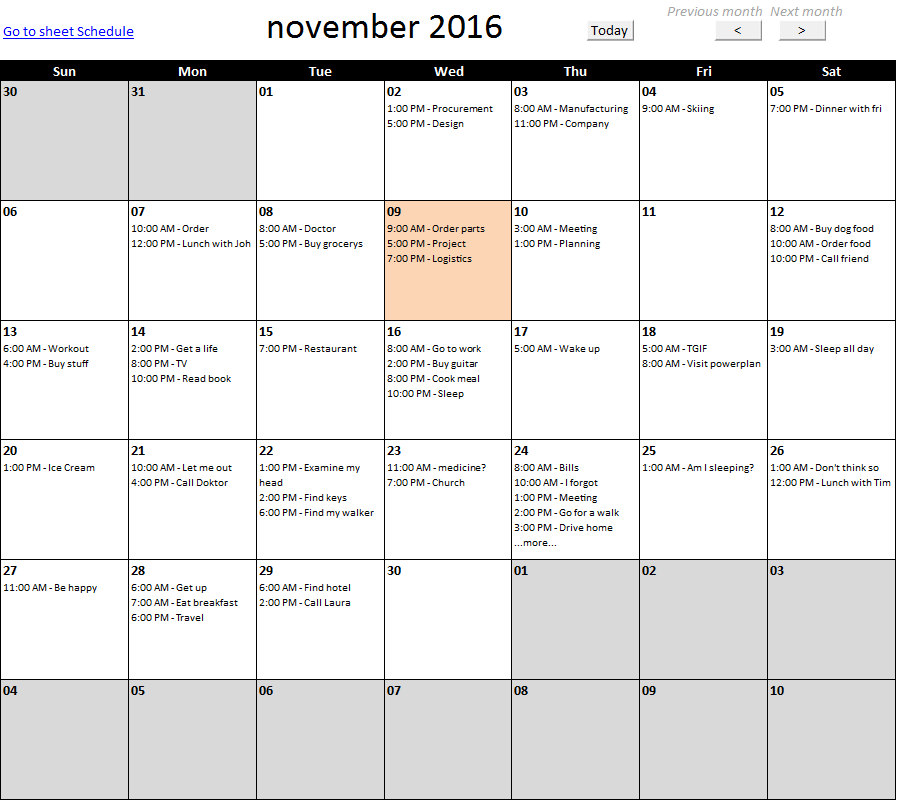
This article describes how to build a calendar showing all days in a chosen month with corresponding scheduled events. What's […]
In this article, I am going to demonstrate a simple workbook where you can create or delete projects and add […]
Table of Contents Monthly calendar template Monthly calendar template 2 1. Monthly calendar template The image above shows a calendar […]
Two dimensional lookup category
Table of Contents How to perform a two-dimensional lookup Reverse two-way lookups in a cross reference table [Excel 2016] Reverse […]
Have you ever tried to build a formula to calculate discounts based on price? The VLOOKUP function is much easier […]
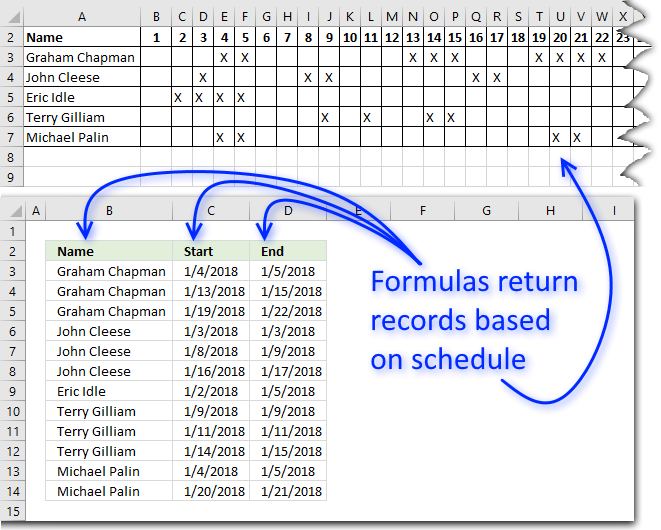
This article demonstrates ways to extract names and corresponding populated date ranges from a schedule using Excel 365 and earlier […]
Excel categories
30 Responses to “Shift Schedule”
Leave a Reply
How to comment
How to add a formula to your comment
<code>Insert your formula here.</code>
Convert less than and larger than signs
Use html character entities instead of less than and larger than signs.
< becomes < and > becomes >
How to add VBA code to your comment
[vb 1="vbnet" language=","]
Put your VBA code here.
[/vb]
How to add a picture to your comment:
Upload picture to postimage.org or imgur
Paste image link to your comment.

Oscar you are genius! Thank you!
Geoff,
I am happy you like it!
This was tremendously helpful to me, but is there a way to then reference what other days in the month the resulting names are also scheduled?
Keeping with our example, if Robert, James, and Brian are all scheduled on the 14th, is there a formula to also tell me that at least one of these three will be working on all of the following dates: 1, 3, 4, 7, 8, 9, etc.?
Corrine,
great question!
See attached file:
Shift-scheduling-Corrine.xlsx
[...] Shift Schedule [...]
Is there a way to do it in reverse where you look up the name and it gives you the days, without moving the data around? What part of the formula would change?
Zachary
Yes, it is possible.
Array formula in cell N19:
Copy cell N19 and paste to cells below.
Alright I see, I started to figure it out with switching it out to column instead of row. Although why have the $A$1:A1 at the end? I have it set to go A1, B1, etc. I do have a bit more complicated setup though as it is searching for a mark in a certain cell first then a different mark. So you have x's where I have C's and then T's and then M's. Issue I have is that with the Small formula it tells which number to look for so it doesn't repeat already said numbers but when it gets to the second letter it errors because it is already on the 6th number and not the first where there may not be a 6th number based on the value. Here is my Formula-
{=IFERROR(INDEX('Equipment & Bucket Fitment'!$A$2:$A$2000,SMALL(IF(INDEX('Equipment & Bucket Fitment'!$B$2:$LZ$2000,0,MATCH($A$3,'Equipment & Bucket Fitment'!$B$1:$LZ$1,0))="C",MATCH(ROW('Equipment & Bucket Fitment'!$A$2:$A$2000),ROW('Equipment & Bucket Fitment'!$A$2:$A$2000)),""),ROW('Equipment & Bucket Fitment'!A1))),IFERROR(CONCATENATE(INDEX('Equipment & Bucket Fitment'!$A$2:$A$2000,SMALL(IF(INDEX('Equipment & Bucket Fitment'!$B$2:$LZ$2000,0,MATCH($A$3,'Equipment & Bucket Fitment'!$B$1:$LZ$1,0))="T",MATCH(ROW('Equipment & Bucket Fitment'!$A$2:$A$2000),ROW('Equipment & Bucket Fitment'!$A$2:$A$2000)),""),ROW('Equipment & Bucket Fitment'!A1))),"T"),CONCATENATE(INDEX('Equipment & Bucket Fitment'!$A$2:$A$2000,SMALL(IF(INDEX('Equipment & Bucket Fitment'!$B$2:$LZ$2000,0,MATCH($A$3,'Equipment & Bucket Fitment'!$B$1:$LZ$1,0))="M",MATCH(ROW('Equipment & Bucket Fitment'!$A$2:$A$2000),ROW('Equipment & Bucket Fitment'!$A$2:$A$2000)),""),ROW('Equipment & Bucket Fitment'!A1))),"M")))}
Basically once it finds all the C's it then goes to find all the T's but errors because it is already on the 6th number because of the Small formula. Most times there isn't a 6th T let alone a 3rd, problem is I can't just choose a cell to change back to 1 because the cell varies based on the data referenced.
Zachary,
Although why have the ROWS($A$1:A1) at the end?
It won't break the formula if you insert columns or rows.
Issue I have is that with the Small formula it tells which number to look for so it doesn't repeat already said numbers but when it gets to the second letter it errors because it is already on the 6th number and not the first where there may not be a 6th number based on the value. Here is my Formula
It looks like you can simplify your formula to a great extent. Try using an IF function and use all your criteria in the first argument.
Isn't that what I am doing with IFERROR though? Not sure how I can simplify it. But the problem still stands with it erroring out when searching for the next letter. Even if I implemented an IF and simplified it, how would I get it to reset to 1 when its finished finding all the C's and start at 1 with T's?
Zachary
Even if I implemented an IF and simplified it, how would I get it to reset to 1 when its finished finding all the C's and start at 1 with T's?
If you could look for all C T and M in one logical expression would make it easier but I don't understand your formula.
This part seems to fetch values from a specific column? Why not look in the entire cell range 'Equipment & Bucket Fitment'!$B$2:$LZ$2000 ?
INDEX('Equipment & Bucket Fitment'!$B$2:$LZ$2000,0,MATCH($A$3,'Equipment & Bucket Fitment'!$B$1:$LZ$1,0))
I would like to look for all at one but can't seem to get it in where excel will accept it. Although I do need it to prioritize C's first, then T's, then M's. As for the part you referenced, the only thing that is specific to one spot is the $A$3, which is the cell we enter a value into. $B$2:$LZ$2000 is where all the C's, T's, and M's are. $B$1:$LZ$1 is a range across the top that has some of the data for lookup. Basically, the formula makes it so we can look up a piece of equipment and it shows the attachments that fit or need testing or need modification, the with a few changes it will also be able to look up an attachment and show which machines it fits on. but the issue comes at hand where when going into the second letter Small is already on 4th or 5th or 6th value. When I mean farther ahead, I mean I have 20 cells with this formula and as it goes down the cells the lookup number for the Small formula is going up.
Chart with Letters
https://postimg.org/image/hvl55g1gt/
Sheet with the Formula in It
https://postimg.org/image/b54nw2ywd/
It didn't post my last comment for some reason. Hmmm. well I will just give a quick explaination of the formula. It is almost just like yours but basically repeated a few times. The reason it is harder to lookup all three at the same time is I need to prioritze C's then T's and then M's. Specifically because the C's are more important. And I am using CONCATENATE for T's and M's and adding a letter at the end of the number so I need it to specify that. The iferror makes it so that if it can't find anymore C's then it moves to the formula that looks for T's and once it can't find anymore T's it moves to M's. It uses iferror to separate C's from the T's and M's and then a second iferror within that one to separate T's and M's. The point of the formula is for us to look up machines by their number and have it show the attachments that fit it.
Zachary
Thank you for describing your worksheet in great detail.
Do you really need to have all C M and T in one search formula?
See this example workbook: Zachary.xlsx
We thought about having them separate and if I split the current one up it works like that but we are really trying not to do that.
Zachary,
I understand. The formula in column V in the attached workbook below filters C's first and then M and T's in any order.
Zacharyv2.xlsx
I think I am getting closer.
So at this point I have three working formulas, one of which is mine and two of yours. One of mine and one of yours require the lookup of C, T, and M to be like this {"C","T","M"} and within those array brackets. It works one way but when I reverse it to be able to lookup the opposite value, it does not work when there are multiple letters within those array brackets and I do not know why. The last one is yours and it was the last one you sent me within the Zachary2 document. That one works great and actually works really good with the CONCATENATE formula for T and M, but the only issue is when I have it in 50 cells it runs my computer out of ram. I am running a powerful computer and still run low on ram and cpu trying to process it, it also takes about 10 seconds to process. Otherwise it is the best working one so far.
I did just notice that for some reason, here at work we have 32bit office installed. Maybe swapping to 64bit may help with the processing of the formula.
Zachary
I am happy my formula works great.
the only issue is when I have it in 50 cells it runs my computer out of ram. I am running a powerful computer and still run low on ram and cpu trying to process it, it also takes about 10 seconds to process.
Are there other cpu-intensive formulas in your workbook? Perhaps volatile functions? (Functions that recalculate every time you press F9, like TODAY(), INDIRECT())
https://www.decisionmodels.com/calcsecretsi.htm
There are other formulas that you can tell take a millisecond longer than others as well as they are a lot longer. But the thing is I can run 50 of them without issue and it only starts to become an issue when the one you gave me runs more than 5 of them. I don't use either of those formulas. I did once but not anymore. I use a lot of INDEX, IF, IFERROR, CONCATENATE, VLOOKUP, and MATCH. Even when I removed all other formulas and used just yours it worked up until past 10 of them which then it had to process.
Zachary
Even when I removed all other formulas and used just yours it worked up until past 10 of them which then it had to process.
I see, my array formula is the cause of the problem. I don't know how to make it faster unless a user defined function is an option.
At this point you have helped a great amount with getting the formula I need. At this point it should be tweaking a few things to either make yours process faster or use one the others and make them work correctly. I appreciate all the help you have given and will definitely recommend you to anyone needing help with excel that I can't help with. Thank you Oscar.
Zachary
You are welcome. Thank you for commenting.
I have facing another issues which smart search option,
DB Sheet has three columns which are code,evident,sub-evident
Actual excel sheet I am having 3 column like drop-down menu which based on selection,
for example if I select evident based on evident, code and sub-evident should display, any way should be possible which I want in excel? If you need any question i am feel free to answer for this/
I have a list of parts that has x amount of minutes to produce. I have a limited capacity each week. I would like to create an easy way to create a "matrix" that shows how the production minutes can be distributed from Week to Week. I need to be able to change the capacity as necessary.
Part Total Minutes WK1 WK2 WK3 WK4 WK5
1 280 280
2 2079 1640 439
3 4200 1481 1920 799
4 2552 1121 1431
5 396 396
6 7134 93
7 1476
8 2288
Capacity 1920 1920 1920 1920 1920
Robert Ballard
Is my table correct?
Why is part 2 wk 1 1640 when capacity is 1920?
Hi
Awesome formulas and examples! Have worked a treat for our rota.
One query though - we have a switch-over at 8am on any given day, is there a way to replace "=TODAY()" With "=NOW()" at all? Basically, we're trying to show that before 8am it pulls the individual from the day before TODAY, but at 08:01 it changes to the person with the x in on that day? (Does that make sense?)
Chris,
Yes, it makes sense. Try this:
=IF((NOW() - INT(NOW())) < (8/24), TODAY()-1,TODAY())
Mr Oscar this lesson helped me to complete one of my attendance sheet that I created using excel.I found a way to identify a daily attendance employees names using your formula.but still I have a problem because under my attendance sheet I have 5 types (leave) so I need to find out how can I apply those five leave types for your formula.
this will be big support to complete my attendance sheet sir
so could you explain how to apply different leave types for this same formula that you used about lesson.