Sum unique numbers
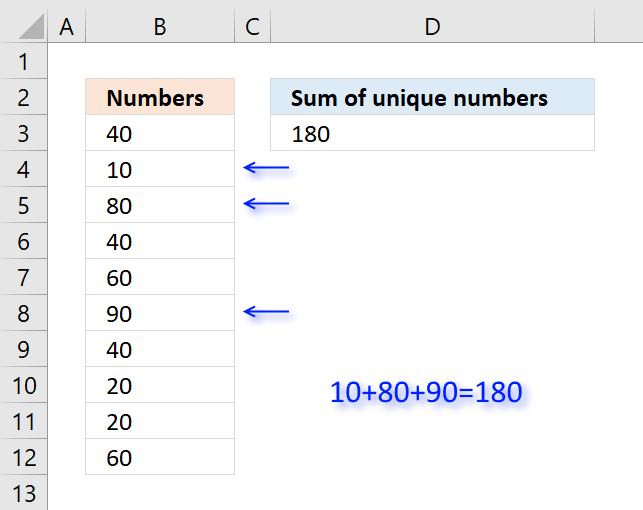
Table of Contents
1. Sum unique numbers
The formula in cell D3 adds all unique numbers in cell range B3:B12 and returns the total. Unique values are all values occurring only once in the list.
Formula in cell D3:
Excel 365 formula:
Explaining formula in cell D3
Step 1 - Count occurrence of each value in cell range
The COUNTIF function is an extremely useful function, this time I am counting how many times each value shows up in the cell range.
COUNTIF(B3:B12,B3:B12)
returns {3;1;1;3;2;1;3;2;2;2}
Step 2 - Check if value is unique
The equal sign checks if number is equal to 1.
COUNTIF(B3:B12,B3:B12)=1
returns {FALSE; ... ; FALSE}
Step 3 - Multiply with cell range
The boolean values in the array show which numbers to include in sum. FALSE is the same as 0 (zero) and TRUE is equivalebt to 1. The parentheses make sure that the comparison is calculated before multiplying.
(COUNTIF(B3:B12,B3:B12)=1)*B3:B12
returns {0;10;80;0;0;90;0;0;0;0}
Step 4 - Sum numbers
The SUMPRODUCT function now simply adds the numbers and returns the total.
SUMPRODUCT((COUNTIF(B3:B12,B3:B12)=1)*B3:B12)
becomes SUMPRODUCT({0;10;80;0;0;90;0;0;0;0}) and returns 180 in cell D3.
Why use the SUMPRODUCT function and not the SUM function? You don't need to enter this formula as an array formula if you use the SUMPRODUCT function.
Get Excel *.xlsx file
2. Sum unique distinct numbers
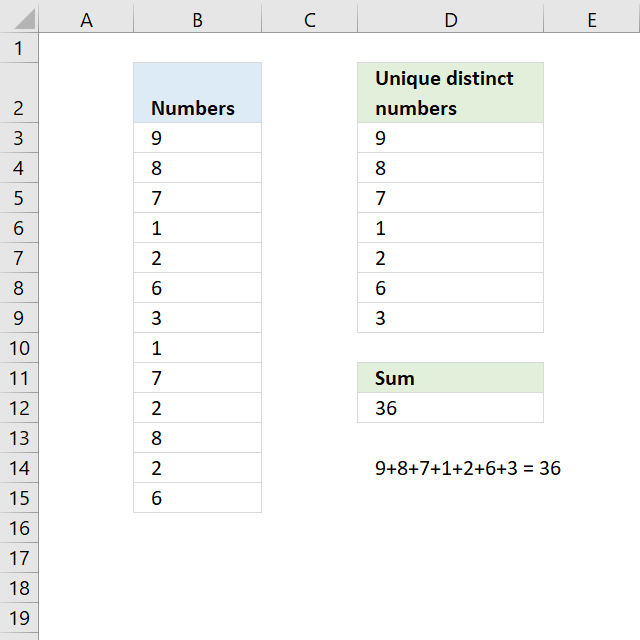
The image above shows numbers in column B, some of these numbers are duplicates. The formula in D12 adds unique distinct numbers meaning the first instance of each number is added to the total, however, the duplicates are ignored.
Excel 365 dynamic array formula:
Explaining formula in cell D12
If you want to examine the formula yourself then go to tab "Formula" on the ribbon and then press with left mouse button on "Evaluate Formula" button.
This will show the calculation steps, one at a time. Simply press with left mouse button on the Evaluate button to move to next calculation step.
Step 1 - Count each value in cell range
The COUNTIF function counts each value in the cell range and returns an array of numbers which shows the number of instances each value has.
COUNTIF(B3:B15,B3:B15)
returns {1;2;2;2;3;2;1;2;2;3;2;3;2}.
Step 2 - Divide 1 with array
If a number has a duplicate then there are two instances of that value. Divide 1 with 2 and we get 0.5, now multiply that value with the number and we get the number to add to the total.
1/COUNTIF(B3:B15,B3:B15)
returns {1;0.5;...;0.5}
Step 3 - Multiply with numbers
The parentheses make sure that the order of calculation is correct.
(1/COUNTIF(B3:B15,B3:B15))*B3:B15
returns {9;4;... ;3}
Step 4 - Add numbers
The SUMPRODUCT function is a better option than the SUM function, we don't need to enter the formula as an array formula now.
SUMPRODUCT((1/COUNTIF(B3:B15,B3:B15))*B3:B15)
becomes
SUMPRODUCT({9;4;3.5;0.5;0.666666666666667;3;3;0.5;3.5;0.666666666666667;4;0.666666666666667;3})
and returns 36 in cell D12.
Get Excel *.xlsx file
Sum unique distinct numbers.xlsx
3. Sum number based on the corresponding unique value
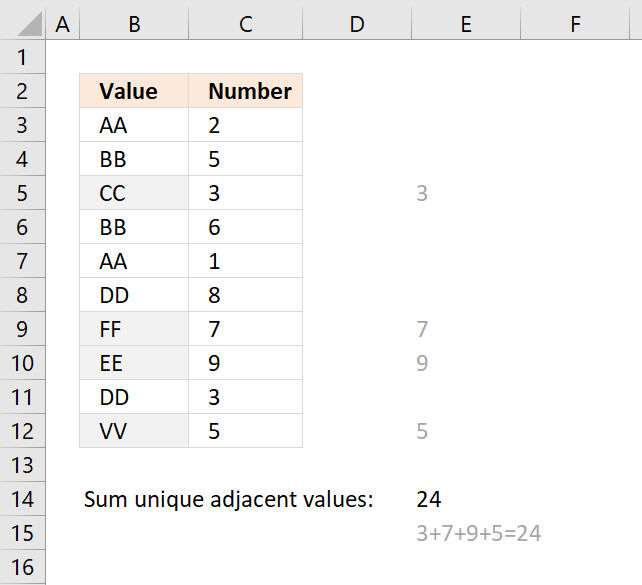
The formula in cell E14 adds a number from column C if the corresponding value in column B is unique and returns the total for all unique values. Unique values are values that exist only once in the list, in other words, there is only one instance of the value.
Formula in cell E14:
Explaining formula in cell E14
Step 1 - Count values in column B
The COUNTIF function counts values based on a condition, I am using multiple conditions, in this case.
COUNTIF($B$3:$B$12,$B$3:$B$12)
returns {2;2;... ;1}
Step 2 - Check if unique
The equal sign compares each value in the array to 1 and returns either TRUE or FALSE.
COUNTIF($B$3:$B$12,$B$3:$B$12)=1
returns {FALSE; FALSE; ... ; TRUE}
Step 3 - Multiply with numbers in column C
(COUNTIF($B$3:$B$12,$B$3:$B$12)=1)*$C$3:$C$12
returns {0;0;3;0;0;0;7;9;0;5}
Step 4 - SUM numbers
The SUMPRODUCT function then adds the numbers and returns the total to cell E14.
SUMPRODUCT((COUNTIF($B$3:$B$12,$B$3:$B$12)=1)*$C$3:$C$12)
becomes SUMPRODUCT({0;0;3;0;0;0;7;9;0;5}) and returns 24 in cell E14.
Get Excel *.xlsx file
Sum only if unique value in another column.xlsx
Sum category
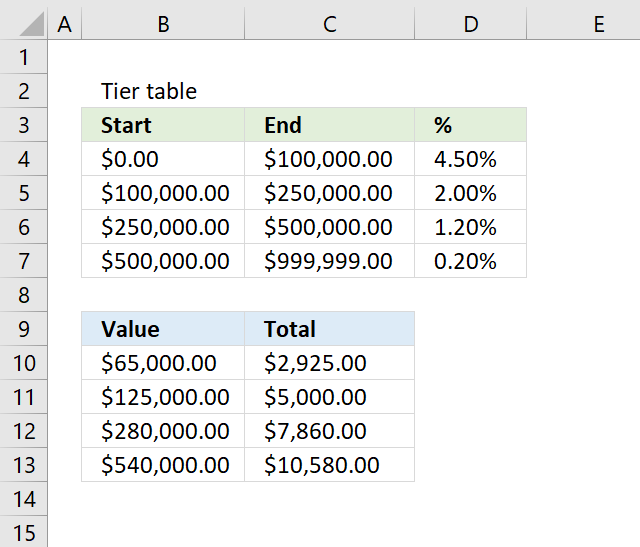
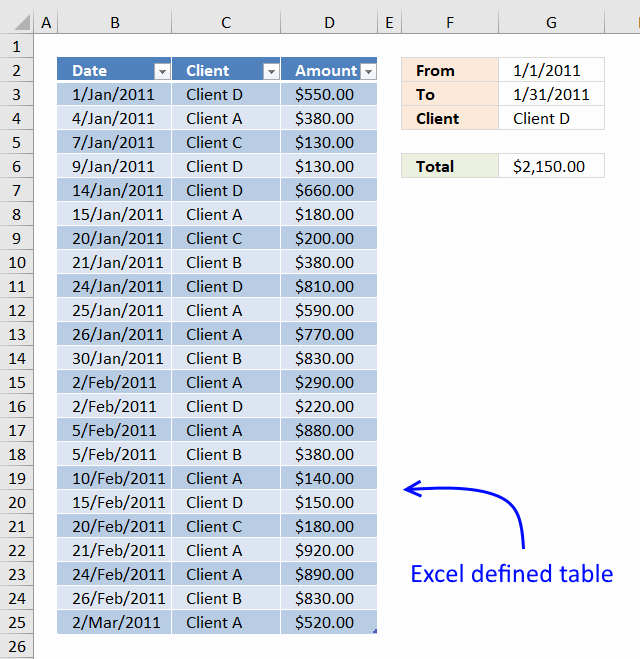
The image above demonstrates a formula that calculates tiered values based on a tier table and returns a total. This […]
Andrew asks: LOVE this example, my issue/need is, I need to add the results. So instead of States and Names, […]
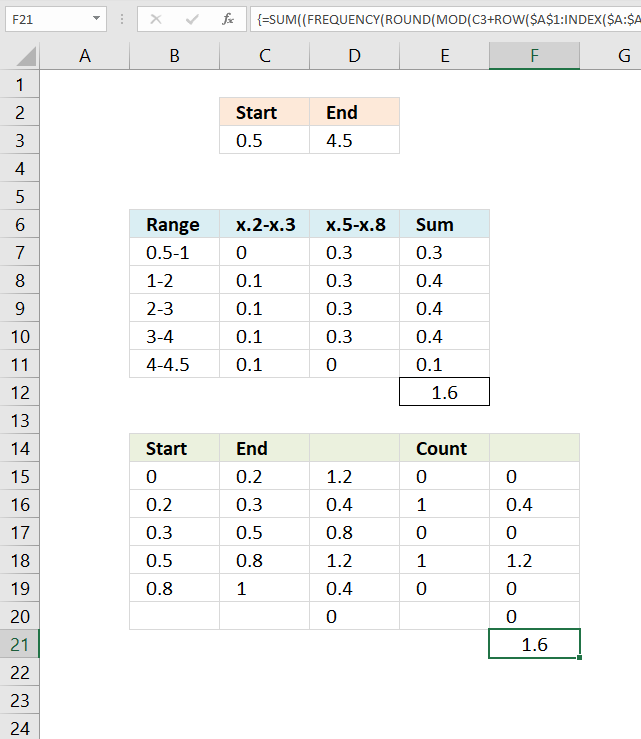
This article explains how to build an array formula that sums numerical ranges. Example, I want to know how to […]
Excel categories
5 Responses to “Sum unique numbers”
Leave a Reply
How to comment
How to add a formula to your comment
<code>Insert your formula here.</code>
Convert less than and larger than signs
Use html character entities instead of less than and larger than signs.
< becomes < and > becomes >
How to add VBA code to your comment
[vb 1="vbnet" language=","]
Put your VBA code here.
[/vb]
How to add a picture to your comment:
Upload picture to postimage.org or imgur
Paste image link to your comment.

I have given up trying to figure out the following problem as it seems over my head, and am
hoping there is a kind soul out there can help me out with the solution.
I am trying to setup a spreadsheet to make calculations which are then exported to Quickbooks.
The original data is returned to Excel from an Access database by msq. Each record relates to an order number and is tied to a
product, and there may be more than entry for each order number as an order may have more than one product.
The actual data import sheet looks something like this:
OrderNumber ItemNumber Date Product PricePerUnit CostPerUnit
4967 1 10-May-10 widget 430.92 306.00
4967 2 10-May-10 doohickey 256.33 165.00
4968 1 11-May-10 doohickey 256.33 165.00
The actual data export sheet looks something like this:
Date Name Account Account Type MEMO Split Account Amount
10-May-10 vendor1 Bank Credit Card 4967 Cost of Goods Sold -306.00
10-May-10 vendor1 Bank Credit Card 4967 Cost of Goods Sold -165.00
11-May-10 vendor2 Bank Credit Card 4968 Cost of Goods Sold -165.00
My problem is that I cannot figure out how to return the total only, and not individual amounts, for orders
with more than 1 item. I.E., how can I tell excel to return each OrderNumber only once, along with
the total for each, like this:
Date Name Account Account Type MEMO Split Account Amount
10-May-10 vendor1 Bank Credit Card 4967 Cost of Goods Sold -471.00
11-May-10 vendor2 Bank Credit Card 4968 Cost of Goods Sold -165.00
There is a little more to this, as I am also trying to include shipping costs, but I Am still trying to
figure out how to return the data using msq, which I am finding a little quirky to use at all, but I have
managed to at least get it to work on a basic level.
Anyhow, is there anyone there who can help? I would be very grateful and much obliged.
Thanks in advance.
AJ
AJ,
see this post: https://www.get-digital-help.com/2010/05/22/how-to-return-the-total-for-orders-with-more-than-one-item-in-excel/
Hi!
Let me say "Thanks" to you because you saved me, my next degree and my huge worksheet!
After countless hours looking for a feasible solution, I finally got here. May you be praised! :)
alemar,
Thanks!
How to calculate sum of unique values if the data is in another worksheet.
I get zero as the answer.
Any solutions pls